
Ordewell Desktop · macOS, Windows and Linux
Your coding agents, one plan.
Describe a goal and watch it become a graph of tasks for Claude Code, Codex and the other agents you already use. Review every plan and every diff, or let it run hands-off until the work is merged.
Plan
Shape the plan, or let it run.
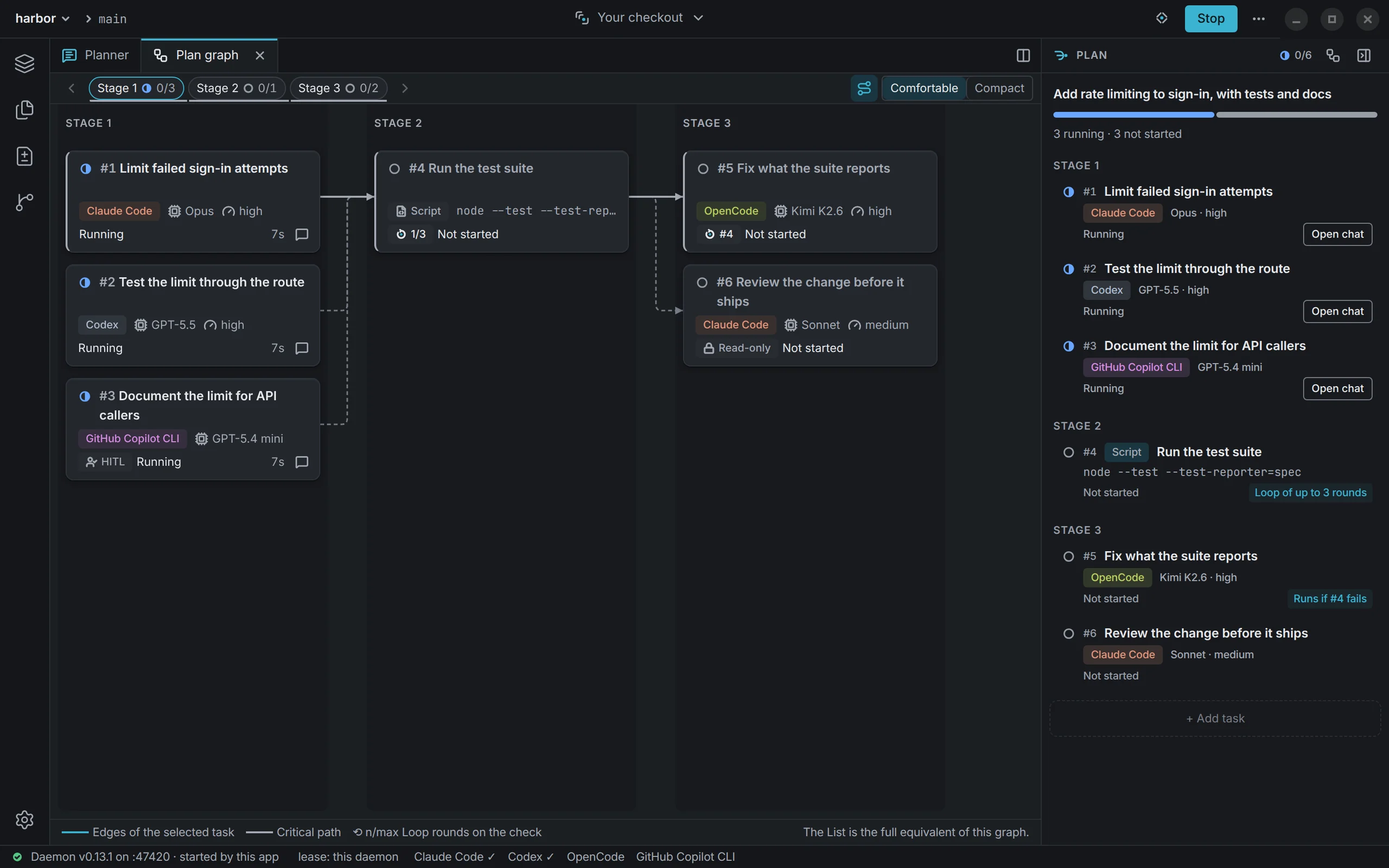
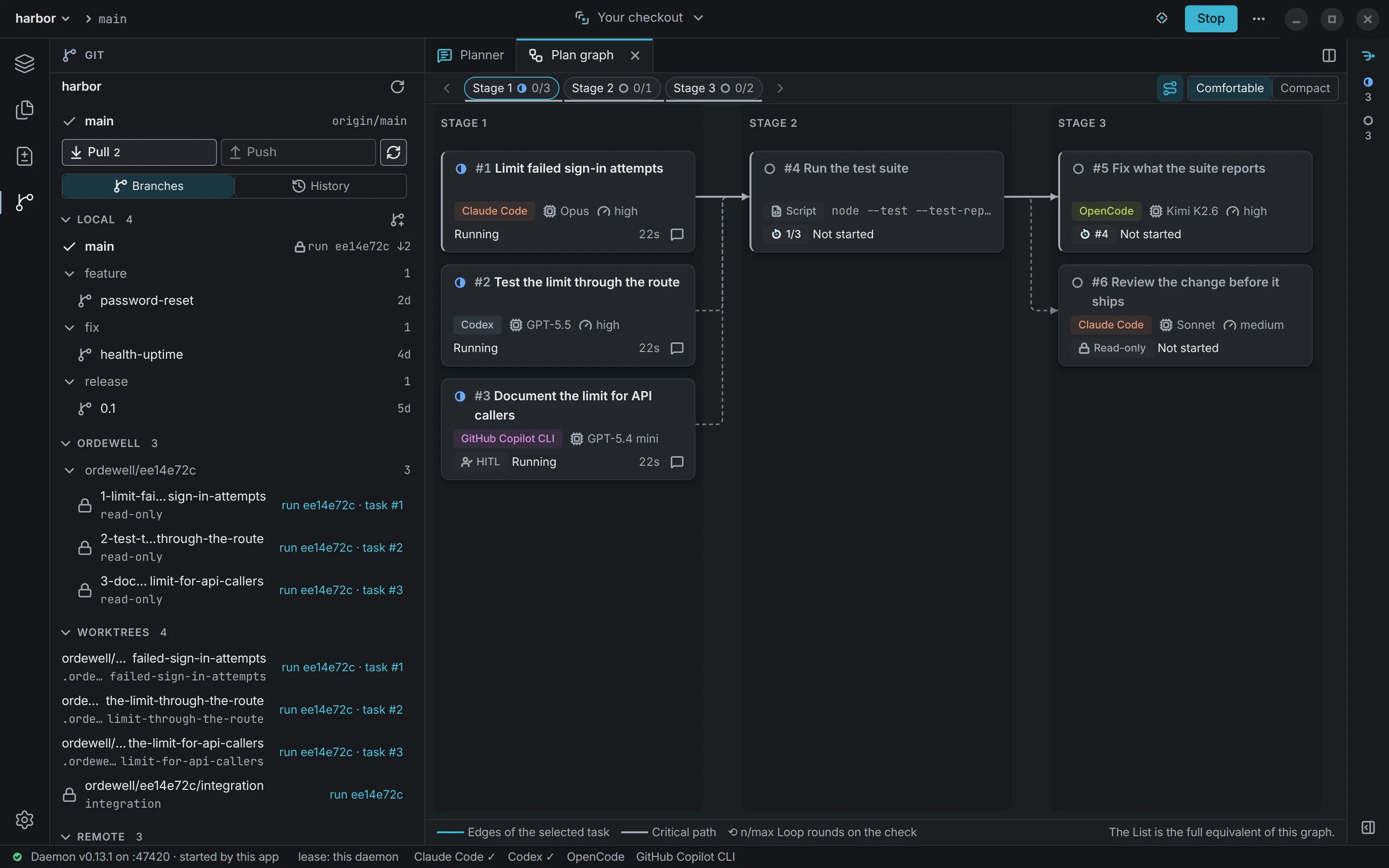
The planner reads your repository, asks about anything left vague, and writes the work as a graph of tasks in stages, each with its own agent, model and mode.
Rewrite a prompt, move a task to another agent, or ask for a different plan, then approve it. Or turn on autorun and it starts as soon as the planner submits it.
Run
Claude Code, Codex and OpenCode, side by side.
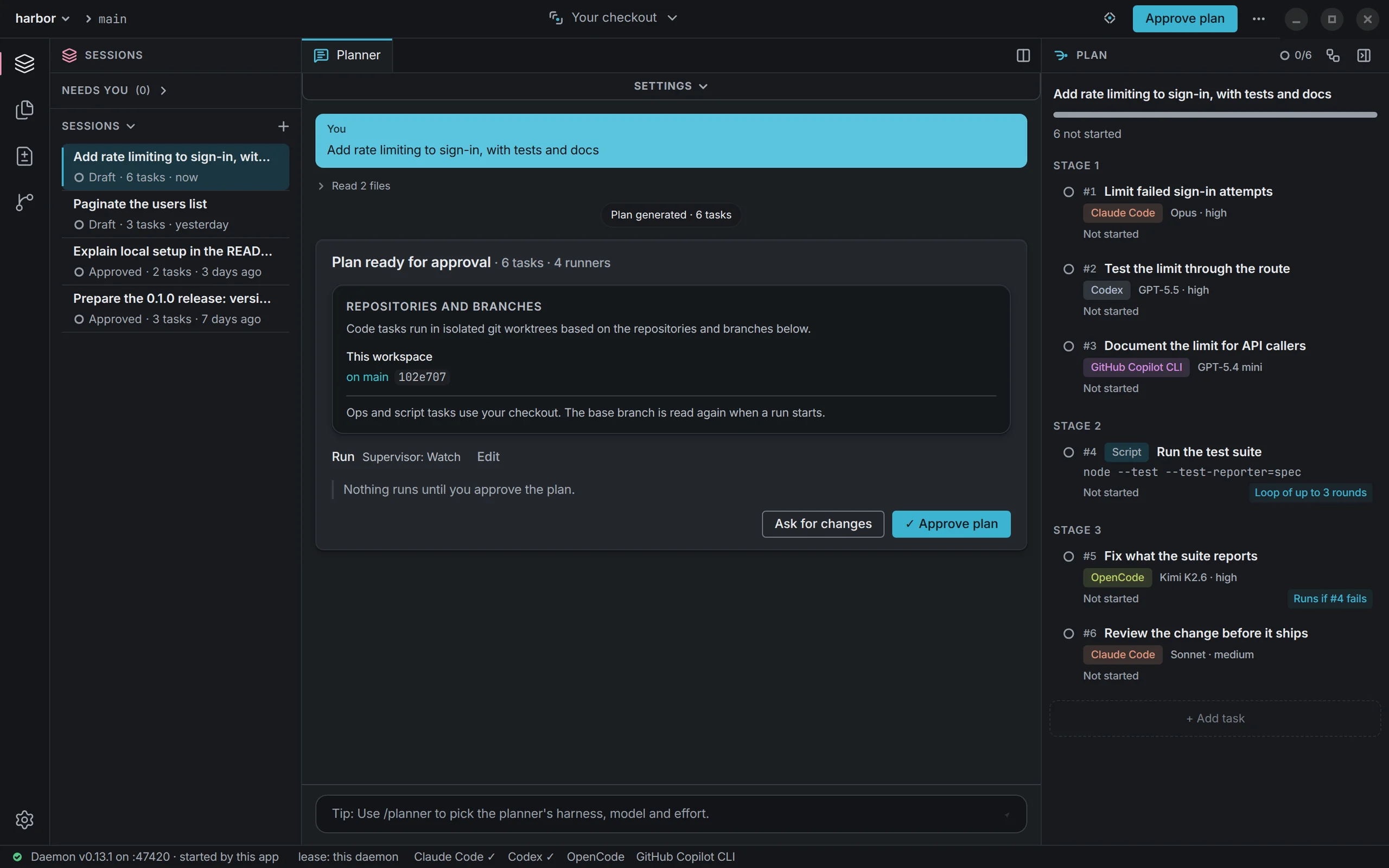
Each task names the agent and the model that runs it, so one plan can hand its tests to Codex, its docs to a lighter model and a review to Claude Code. Independent tasks run at once, each on its own branch; the ones that depend on them wait.
Open any task to follow its agent at work, or send it a message while it runs.
Review
Read the diff, or let it merge.
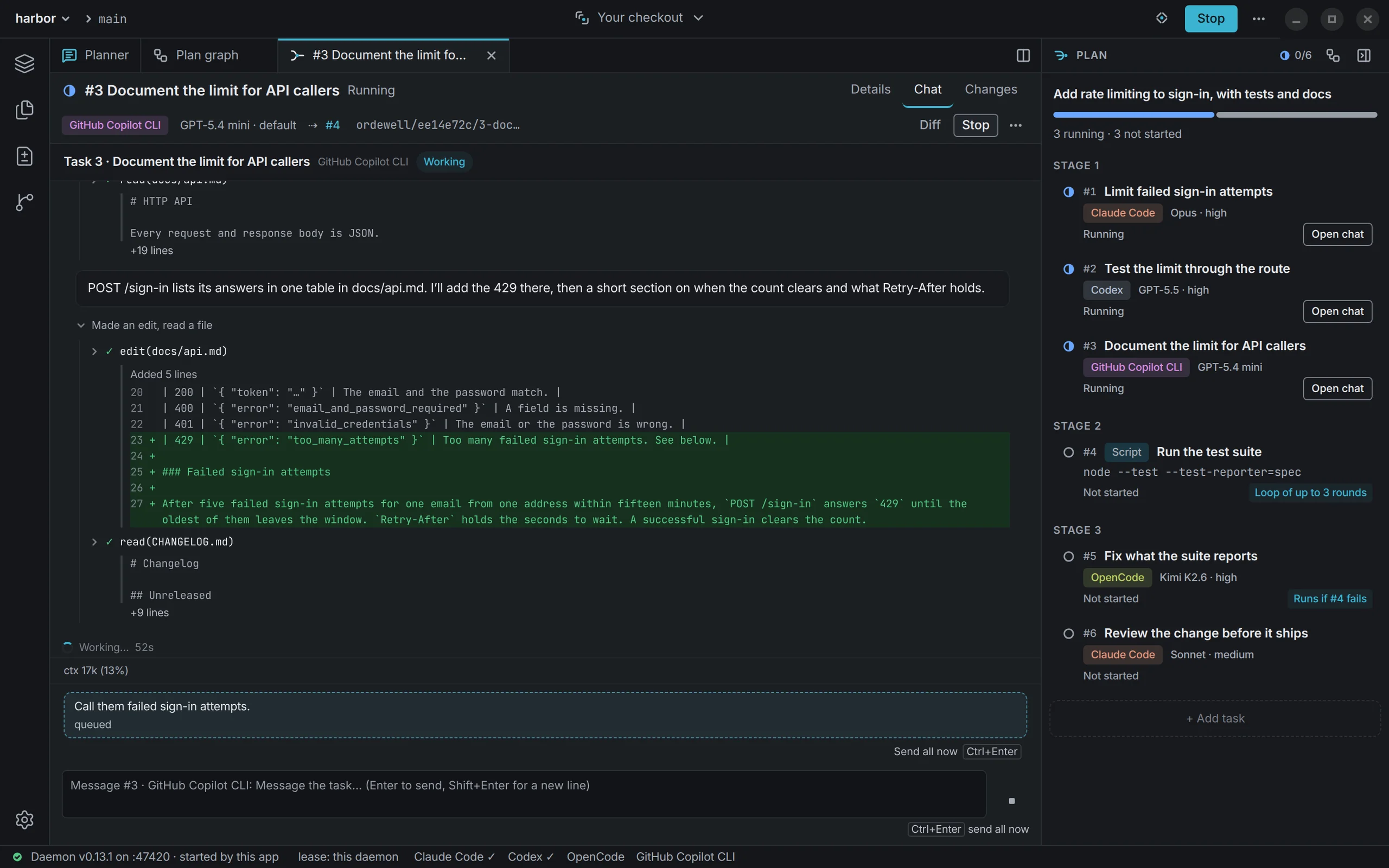
Every change is made on its own branch, where you can read it. Comment on a line and the comment goes back to the task, quoting that file and line.
Merge it onto your branch when it reads right, or turn on automatic merging and Ordewell merges what passes. A conflict stops the merge with your tree untouched.
Git
Git, built in.
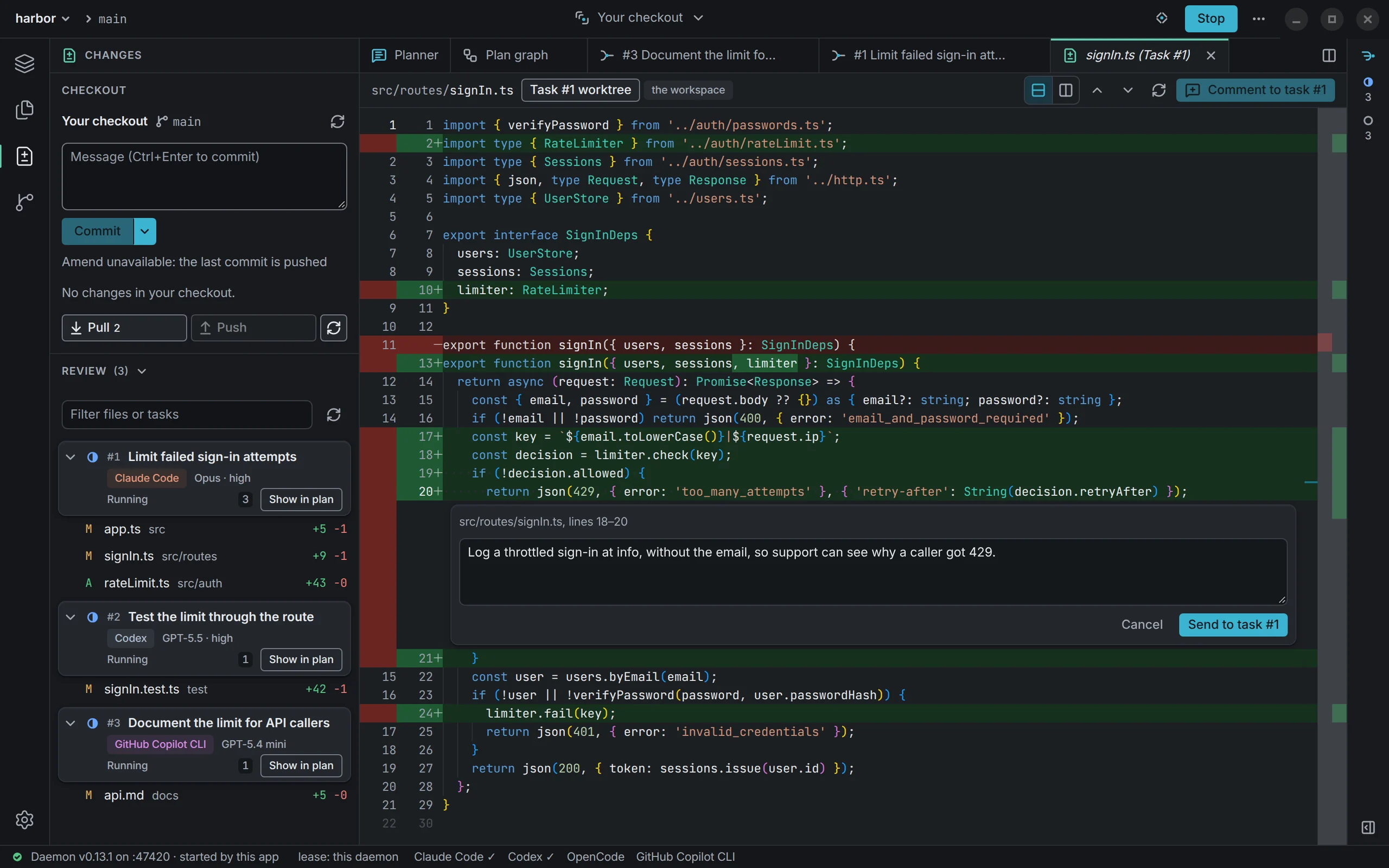
Branches, stashes, worktrees and remotes sit in the sidebar. Commit, pull and push without leaving the window, and open any branch to read its history in place.
The branches Ordewell makes are read-only there, and a live run's landing branch is locked until the run ends.
Watch
A full run, from goal to merge.
A goal becomes a plan, the plan runs on several agents at once, and a task's diff opens for review.
Get Ordewell Desktop
Set the goal. Let the graph run.
Step in whenever you want, or not at all.
Free and open source. You need one coding agent, installed and signed in: Claude Code, Codex or one of the others.