

Ordewell for VS Code

The whole loop, beside your code.

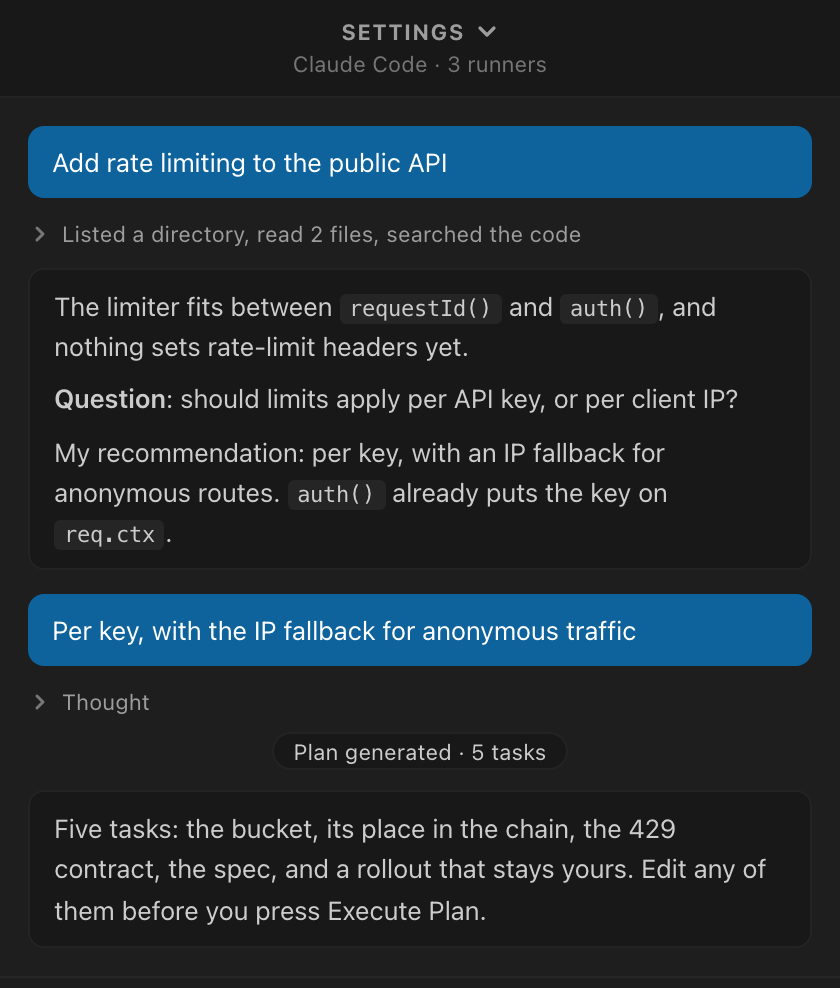
The planner conversation, and the plan itself pinned above the composer, in a panel of your editor. The same planner and plans as the desktop app and the terminal.
VS Code, Cursor, Windsurf and VSCodium · uses the coding agents you already have, signed in

The Ordewell panel in VS Code. The goal Add rate limiting to the public API, the research folded into one line reading Listed a directory, read 2 files, searched the code, the planner's question whether limits apply per API key or per client IP with its recommendation, the answer Per key with the IP fallback, and a Plan generated, 5 tasks marker.
The conversation Your goal, the research folded into one line you can open, and the question the planner asked before it planned.
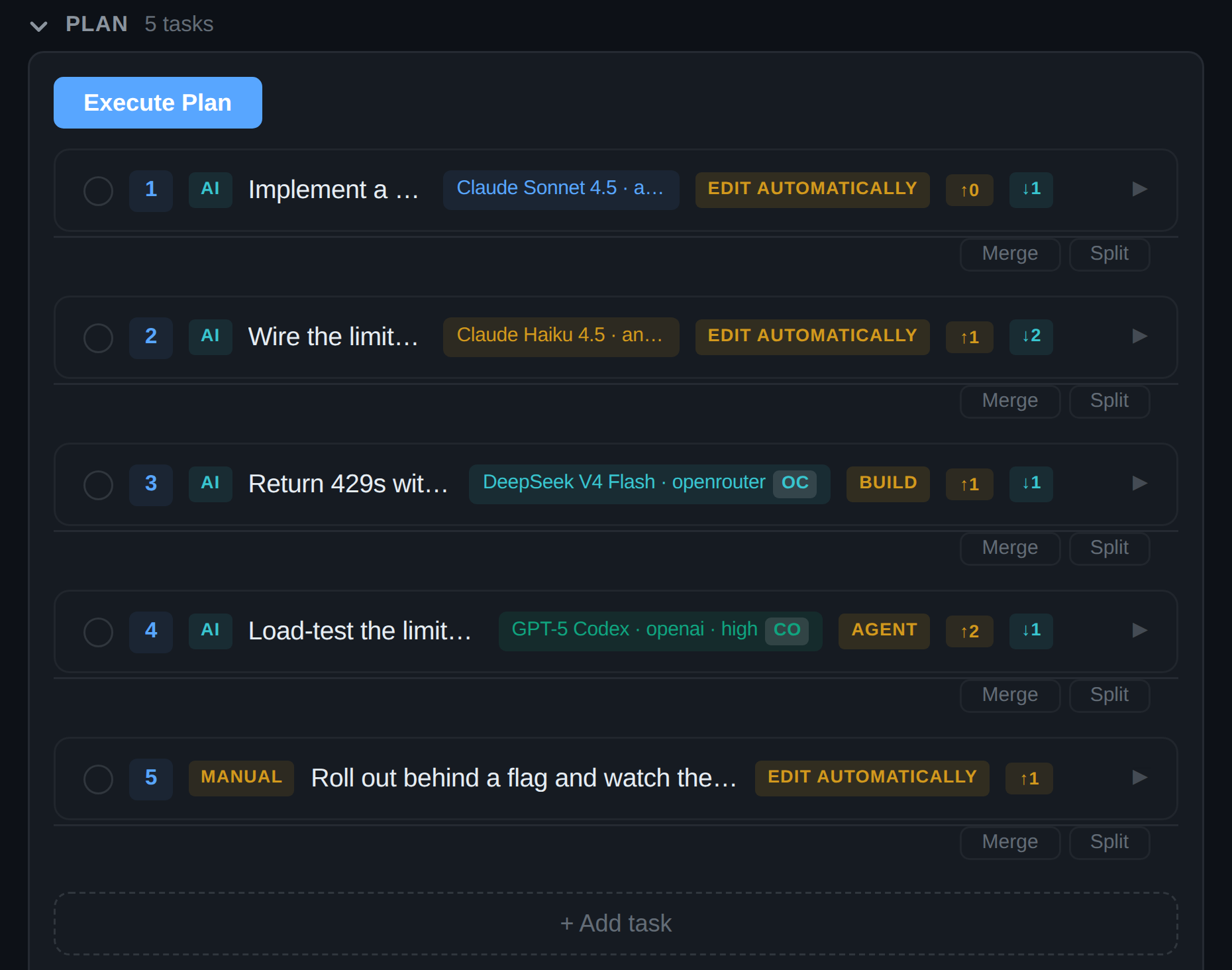
The plan docked above the composer: an Execute Plan button over five task cards, each with its runner and model, and an effort level where the model offers one, such as claude-code, Claude Sonnet 4.5, high and opencode, DeepSeek V4 Flash, a manual rollout task, and dependency badges. Under the plan, the footer reads Planner ctx 38k (19%), Claude 5h 23% used, Weekly 41% used.
The plan Docked above the composer. Each agent task names its runner and model before you press Execute Plan. The footer shows the planner's context and your account's limits.

Captured from Ordewell 0.11.0. Model names and interface details may have changed since.

Get started

One command, then one goal.

Install

bash
code --install-extension ordewell.ordewell

Or search Ordewell in the Extensions view, or open the Marketplace listing. In Cursor, Windsurf or VSCodium, get it from Open VSX. The extension bundles its own core, so there is nothing to install from npm.

First run

  1. Open a project folder.
  2. Open the Ordewell panel from the activity bar.
  3. Type a goal, then approve the plan, or let autorun start it.

Choose an installed coding agent to plan for you, read only, using its own credentials.

Every task, your call

Assign each task the way you would assign it yourself.

Open a task card to change who does the work, on which model, how hard it thinks, and which of your team's skills it follows.

An open task card's assignment: Runner set to OpenCode, Model DeepSeek V4 Flash on openrouter, and Mode Build: Edit files and run commands.

Move a task to another agent

Switch a task's runner and its model, effort and mode follow, picked from what that agent actually offers. An assignment that couldn't start never gets saved.
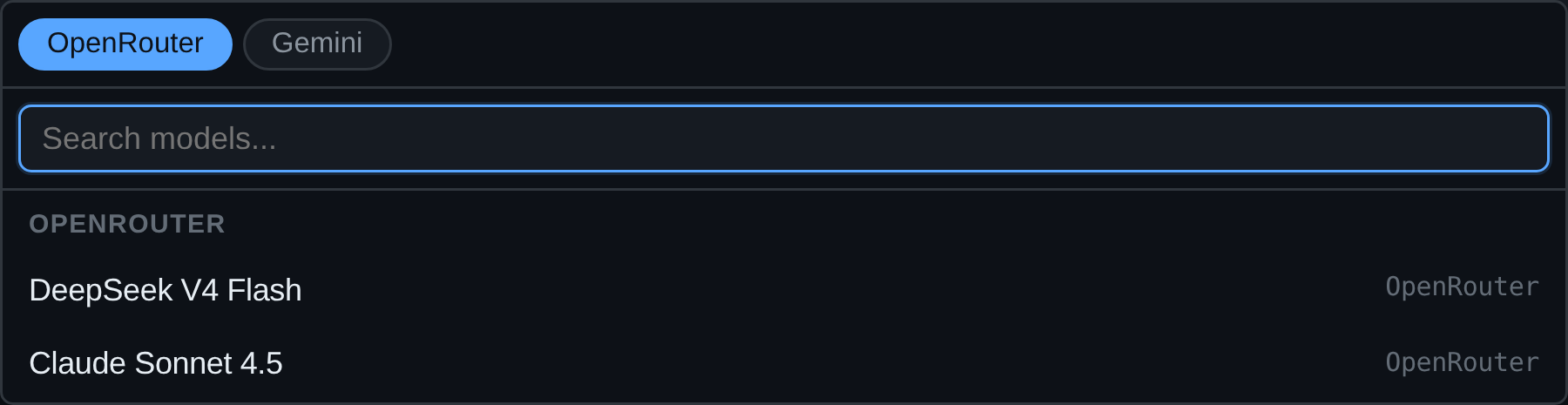
The same task's model picker open on OpenCode's catalog: a search field above DeepSeek V4 Flash, Qwen3 Coder Next, GLM-5 and Kimi K3.

Only models the agent can run

The picker lists the selected runner's own catalog, so you never type an id that only fails once the task starts.

A task's model field reading Claude Sonnet 4.5 on anthropic, beside a thinking effort select set to high.

Thinking effort is per task too

The levels offered are the ones that model actually has. A docs task doesn't need to think as hard as a migration, and you decide which is which.
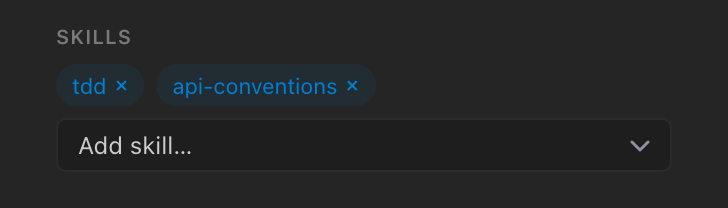
A task card's skills: tdd and api-conventions attached as removable chips, with an Add skill menu under them.

Skills your whole team shares

Write down how your team works once, as a skill in your repo. The planner attaches it to the tasks it fits, and you see it on every task card. /grilling, /to-spec and /tdd come built in.

Watch

A real run in VS Code.

A goal becomes a plan, three tasks run at once, and the supervisor reports back.

A real run, 42 seconds, sped up where marked. Recorded on October 20, 2026 with Ordewell 0.10.10.

Get the extension

Set the goal. Let the graph run.

Step in whenever you want, or not at all.

Free and open source. You need one coding agent, installed and signed in: Claude Code, Codex or one of the others.